
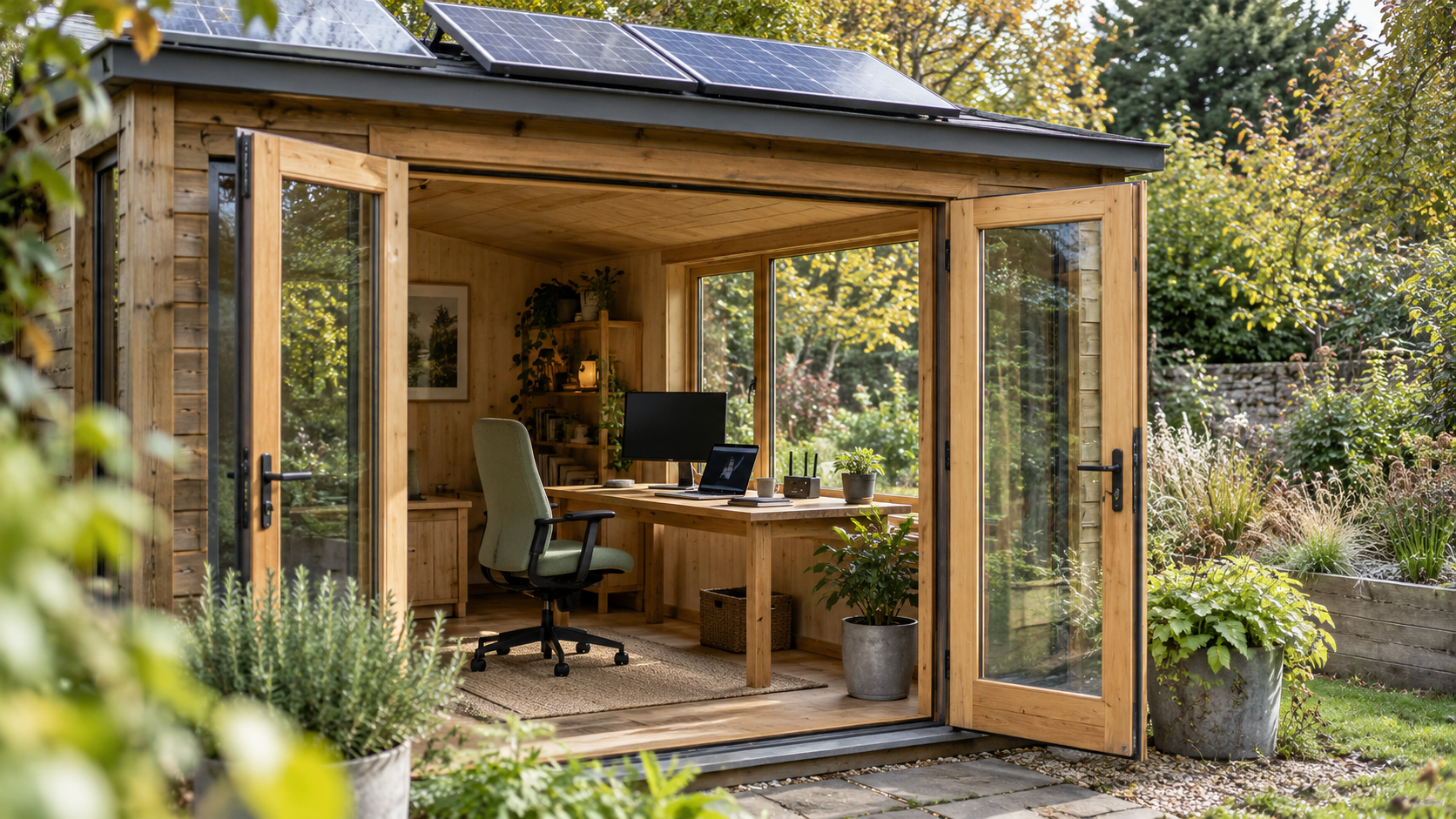
Can solar run a summerhouse office?
A modest laptop, monitor and router setup can be a practical solar load, provided generation, storage and backup match the working day. Start with measured watt-hours, include charging and inverter losses, and check the months you intend to work. Heating, kettles and other high-demand appliances need a separate budget.
A garden office can have a small electrical footprint and still need a dependable supply. A laptop running out of charge during a call is inconvenient; losing the internet connection just before submitting work can be worse.
This planner helps you turn a desk setup into an energy budget. The example figures are deliberately labelled assumptions. Replace them with measurements from your own equipment before choosing panels, a battery or an inverter.
1. Draw a boundary around the office
List everything supplied by the summerhouse system: laptop charger, monitor, router or Wi-Fi access point, desk lamp, phone charger and any dock, speakers, fan or printer. Include the devices that stay powered before and after you finish work.
Then identify equipment elsewhere. If the house supplies the main broadband router and the summerhouse only has an access point, count only the latter in the summerhouse battery budget. The internet still depends on the house equipment, however.
Keep comfort loads visible. An assumed 1,000W heater operating for two hours uses 2,000Wh, more than three times the electronics-only example below. Do not quietly add heating to a kit selected for a laptop and monitor.
2. Measure a working day, not a charger label
Use a suitable plug-in energy meter with plug-connected equipment, following its instructions. Measure accumulated Wh or kWh over representative work: video calls, document editing, screen sharing and whatever demanding tasks you normally perform.
Virginia Tech’s appliance-energy guidance explains the relationship between wattage, operating time and energy use. For variable electronic loads, a full-session measurement is more useful than multiplying the largest instantaneous reading by every working hour.
A charger marked 65W describes its output capability, not proof that the laptop continuously consumes 65W. Start and finish laptop tests at a similar battery charge where possible. Otherwise, note the difference: a day ending with a depleted laptop battery has borrowed energy that still needs replacing.
Record monitor brightness, peripherals and whether the laptop is charging. Repeat on a heavier workday. Do not build your whole design around a quiet morning with a fully charged laptop and the screen dimmed unusually low.
3. Avoid counting laptop charging twice
A USB-C monitor or dock may power the laptop as well as display its picture. The Dell P2720DC manual, for example, describes USB Power Delivery up to 65W. That is a capability example, not a recommended monitor or its measured operating draw.
If your meter measures the monitor’s mains input while it charges the laptop, that reading already includes the energy passing to the laptop. Enter the combined setup once. Do not add a separate laptop-charger estimate unless a separate charger is actually supplying additional energy.
The same rule applies to phone charging through a dock. A simple sketch of which device powers which other device can prevent a surprisingly large budgeting error.
4. Build the daily load list
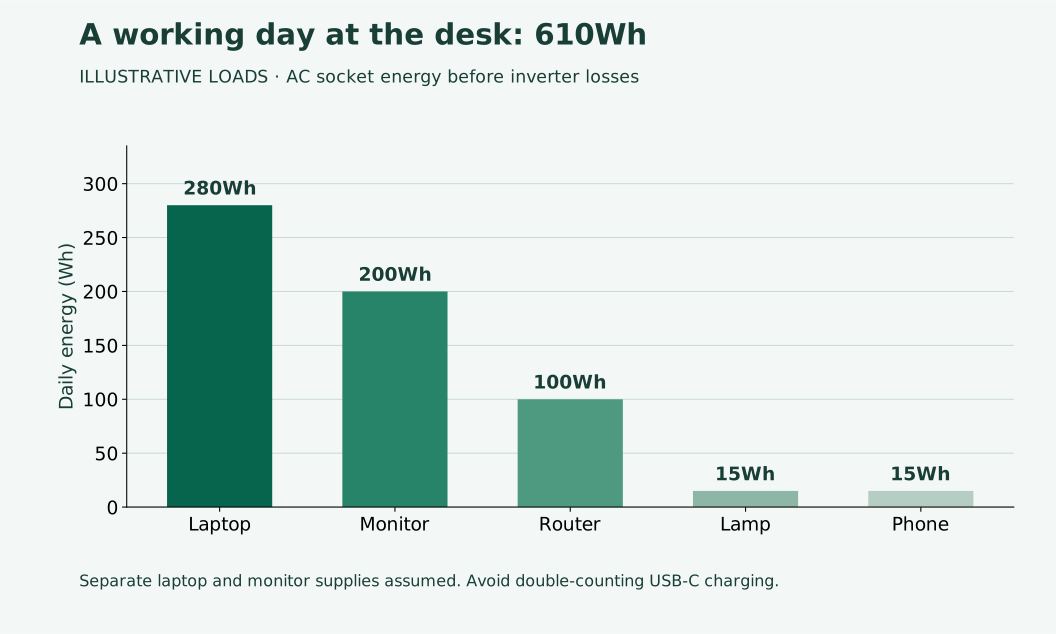
Our example assumes a separately powered laptop and monitor, with all listed loads supplied through AC. It covers office electronics only. Average watts are assumed at the wall socket, so the devices’ own AC-adapter losses are already included.
| Equipment | Average power | Hours | Energy |
|---|---|---|---|
| Laptop and charger | 35W | 8 | 280Wh |
| Monitor | 25W | 8 | 200Wh |
| Router | 10W | 10 | 100Wh |
| Desk lamp | 5W | 3 | 15Wh |
| Phone charging | 5W | 3 | 15Wh |
| Total | Invented teaching figures | 610Wh | |
The formula is watts × hours = watt-hours. Divide Wh by 1,000 to obtain kWh. In this example, the appliances consume 0.61kWh during the planned day.
5. Use the editable load planner
Enter average socket watts and hours per day below. For a measured session, divide its Wh by the session hours to obtain average watts. Put combined monitor-and-laptop consumption in one row and set the other to zero. “Other” can include additional office electronics.
The efficiency assumption includes inverter overhead for the planned operating period. The planning allowance provides extra headroom; the usable battery fraction retains a separate operating reserve. These are estimates, not protection settings or an installation design.
Optional paid reading: You can view the linked energy offer while exploring broader ideas. It is not a tested recommendation for a solar office kit.
6. Allow for inverter overhead and usable storage
For the example, assume 85% overall battery-to-AC efficiency across the operating period, including inverter consumption. The battery demand is 610 ÷ 0.85 ≈ 718Wh. Adding an assumed 20% planning allowance gives about 861Wh usable capacity for one day without useful solar input.
If a selected battery allows an 80% usable operating window, the corresponding nominal capacity is about 861 ÷ 0.80 ≈ 1,077Wh, rounded up. Actual temperature, ageing, discharge limits and extra loads still matter. A nominal “1kWh” label would not meet this particular set of assumptions.
Do not add inverter idle consumption again if it is already included in the efficiency assumption or a battery-side measurement. The Victron inverter specifications list zero-load consumption separately from maximum efficiency, illustrating why a headline efficiency figure alone does not describe a lightly loaded office.
Our night-time inverter guide explains the overhead question in more detail. If your router stays on all night, extend the operating period and revise the losses rather than treating the inverter as an eight-hour load.
7. Decide how long the internet must stay available
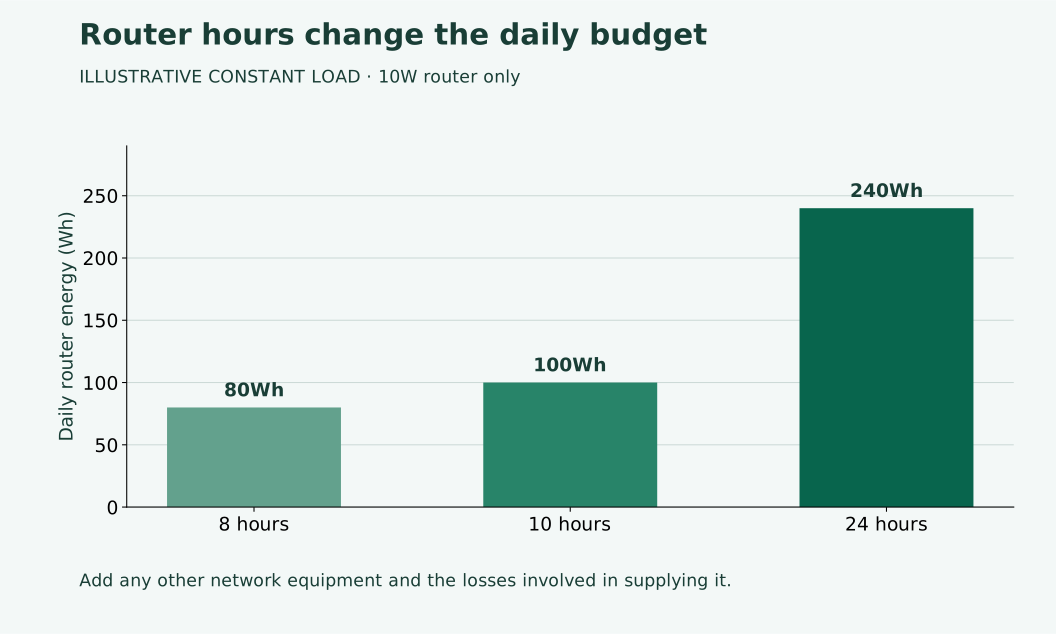
An assumed 10W router uses 80Wh in eight hours, 100Wh in ten hours or 240Wh over 24 hours. The choice of operating hours can matter more than a small change in its wattage.
Include any modem, fibre terminal, mesh unit or network switch needed for the connection. Government telecoms resilience guidance notes that customer equipment needs backup power during outages. Keeping one router powered does not guarantee that every part of the connection remains available.
For work that cannot tolerate interruptions, establish a fallback before relying on the garden system: a supported backup supply, a tested mobile connection or a place to continue working. Do not assume a portable power station provides uninterrupted transfer; check its documentation and compatibility.
8. Match panel output to the working calendar
A daily office is different from a shed used only at weekends. It may have no long recovery period between visits. Five days at the example’s 718Wh battery demand represent approximately 3.59kWh before the extra planning allowance and any weekend background loads.
The European Commission’s PVGIS manual describes monthly solar estimates and off-grid calculations that account for storage and consumption. Assess the actual location, orientation and visiting months. An annual total cannot show whether a dull working week is covered.
As a sensitivity check only, 400W of panels multiplied by three equivalent full-sun hours and an assumed 75% panel-to-stored-energy factor gives 900Wh. With one equivalent hour, the same arithmetic gives 300Wh. Neither sunlight figure is a forecast for your garden.
These figures show why panel rating alone cannot answer the question. Model the complete system with consistent loss assumptions; do not apply another generic loss factor to output that already includes it. Our battery and recharge sizing guide explains the underlying energy balance.
9. Reduce demand without making work difficult
Choose a comfortable screen brightness, allow the monitor to sleep during breaks and close genuinely unnecessary background tasks. Measure the effect rather than assuming a setting saves a particular percentage.
If using direct DC or USB-C power, choose manufacturer-compatible equipment with the required voltage, power profiles and cable rating. A matching connector alone is insufficient. Do not connect a nominal 12V device straight to a battery without confirming regulation and protection.
Keep temperature, damp and ventilation in the design. Have fixed wiring, earthing, protection and roof mounting assessed by a competent installer. See our shed-roof checklist and winter battery guide before treating the summerhouse as a year-round plant room.
If you also inspect the seller’s energy presentation, check its claims against your measured budget. A promotional claim cannot establish uninterrupted power for your working day.
Frequently asked questions
Can I use the laptop battery as my reserve?
It can bridge some interruptions, but its charge must eventually be replaced. It does not keep the external monitor or network equipment running.
Is the charger’s 65W label enough for planning?
It is a useful capability check, but not a daily energy measurement. Record representative consumption while doing your normal work and charging as usual.
Will solar power my office in winter?
Possibly, with an appropriately assessed system and fallback. Check local seasonal generation, shade, battery temperature limits and consecutive poor-weather days.
Does the calculator choose my inverter?
No. It estimates energy and storage from your assumptions. Inverter selection also needs maximum simultaneous demand, starting behaviour, compatibility and installation checks.
Plan for a complete working day
A useful solar office budget includes every device needed to do the job, the losses involved in supplying it and a plan for weak generation. Measure first, test a realistic workday and keep an alternative ready for important calls and deadlines.
Our ECO-WORTHY 400W solar kit overview offers a concrete package to compare with your office load plan. Add the monitor, router, laptop and inverter losses before judging runtime; the panel rating is not a guarantee of all-day office power.
Explore the linked energy offer
Optional paid affiliate resource. We have not tested the product or verified its performance claims. Review its contents, price and terms before buying; it does not replace equipment manuals or site-specific advice.
View the energy offer — affiliate linkSources and further reading
Checked 10 October 2026. Planner defaults and chart figures are illustrative, not measured equipment performance.