
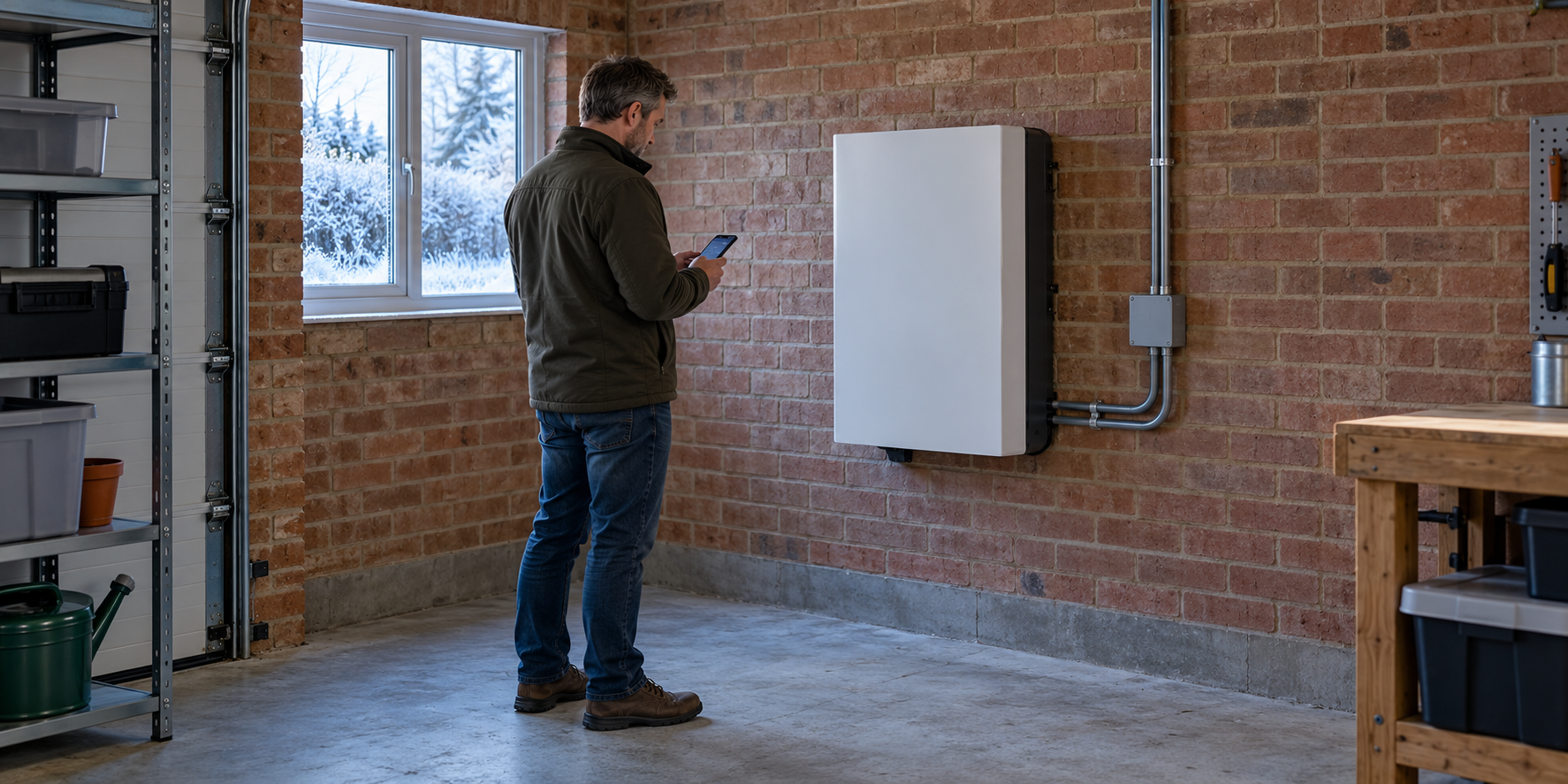
Can a solar battery stay in an unheated garage?
Yes, if the exact battery and installation are suitable for the conditions there. Check charging, discharging and storage limits separately, confirm how cold-temperature protection works, and inspect for damp and blocked clearances. “Indoors” does not automatically mean warm enough, and a broad operating range does not promise full winter performance.
An unheated garage can be a practical battery location, but a mild autumn afternoon tells you little about what happens after several freezing nights. The battery may cool slowly, charge more slowly, reserve energy for temperature management or temporarily refuse to charge.
This guide concerns installed domestic solar-battery systems, particularly lithium-based products. Lead-acid banks and portable power stations have their own instructions. Use the current manual for your exact model and region; the examples below illustrate differences rather than establish universal limits.
1. Identify the equipment before checking temperatures
Record the battery model, inverter model, number of modules, firmware version if visible, and installer’s contact details. Keep the installation and user manuals together. The inverter and battery may have different environmental limits, so checking only one is not enough.
Ask whether the system has built-in heating, temperature-controlled charging or both. A battery management system, usually called a BMS, monitors and protects the battery. Its presence does not by itself mean the battery can warm itself in a freezing garage.
Also establish whether the displayed temperature comes from a battery sensor, an inverter sensor or an external probe. Those measurements are not interchangeable. If several modules report temperatures, ask how the system responds when one is colder than the others.
2. Separate charging, discharging and storage limits
Find the relevant limits in the manufacturer’s documents and write them down. Do not take the lowest number from a product advertisement and assume it applies to every activity.
| Limit or feature | What to establish |
|---|---|
| Charging temperature | When charging is permitted, reduced or stopped |
| Discharging temperature | When the battery can supply loads and at what power |
| Storage temperature | Conditions for an unused battery, including charge-level requirements |
| Recommended range | Conditions for better performance, distinct from absolute limits |
| Heating and protection | What operates automatically and which energy source it requires |
For example, Victron’s Lithium Smart operation manual permits charging from +5°C to +50°C. That is a specific product-family instruction, not a rule to apply to all lithium batteries.
By contrast, Tesla describes cold-weather preconditioning for Powerwall. A system with managed heating behaves differently from a battery without it. Verify the functions available on your particular generation and installation.
Never lower a protection threshold or bypass a sensor simply to restore charging. Charging outside permitted conditions can damage a battery. An alarm or paused charge may be the protection doing its intended job.
3. Measure the garage, but also check battery temperature
Place a suitable minimum–maximum thermometer or logger near the installation, without attaching anything to the battery or obstructing it. Follow the sensor’s instructions and avoid locations influenced by direct sunshine or a temporary heater.
Record early-morning lows and the duration of cold periods. Compare those readings with the battery’s own telemetry where available. Air can warm before the battery has warmed throughout, so a comfortable lunchtime garage does not prove the cells have crossed their charging threshold.
GivEnergy’s cold-weather guide emphasises internal battery temperature when investigating winter behaviour. It also suggests correlating temperature history with charge and state-of-charge graphs.
A useful log has five columns: time, garage temperature, battery temperature, state of charge and displayed status. Add the charging schedule and weather. This gives support something more useful than “it stopped working when it got cold”.
4. Confirm how cold-charge protection reaches every charger
Ask your installer how the battery’s temperature protection prevents charging from each source. Depending on the system, these may include solar, the inverter’s mains charger or another charging device.
In some arrangements, protection depends on communication or control connections between components. Ask what happens if communication fails, a sensor reports an implausible value or firmware settings change. This is a configuration review for a competent installer, not a reason to open the enclosure.
Confirm the expected restart behaviour too. Does charging resume automatically once conditions recover? Is there a delay or a separate restart temperature? Knowing the normal sequence can prevent unnecessary resets during a cold morning.
Optional paid resource: You can view the linked energy offer for broader home-energy ideas. It is separate from battery maintenance and manufacturer support. We have not tested the product or verified its performance claims.
5. Check moisture, clearances and the garage itself
Inspect from a safe distance for roof leaks, water tracks, condensation, corrosion, damaged conduit and clutter around the installation. A winter check should include the building that protects the equipment, not just the app.
Look for humidity conditions in the manuals. For example, Victron’s Lithium NG technical data specifies humidity on a non-condensing basis. A high permitted relative humidity does not mean visible moisture on electrical equipment is acceptable.
Keep the manufacturer’s clearances available and do not block vents, access panels or the installer’s shutdown labels. Store fuels, solvents and other unsuitable materials elsewhere in accordance with the installation guidance. Ask the installer whether vehicle-impact protection or other changes are needed.
If water reaches electrical equipment, keep clear and seek professional advice rather than touching it to investigate. Do not open a battery case to check for damp. Its exterior protection rating is not permission to ignore leaks or damaged seals.
6. Do not improvise a winter enclosure
Insulation slows heat loss; it does not generate warmth. After a prolonged cold spell, an unheated enclosure can still become cold. It can also change ventilation, moisture behaviour, access and fire-safety conditions.
Before adding a cover, cabinet, heating mat or nearby heater, obtain written approval for the exact arrangement from the manufacturer or installer. Ask how it affects required clearances, temperature sensors, service access and warranty conditions.
Tesla’s Powerwall safety instructions, for example, reserve installation and service for certified installers and restrict unapproved accessories. Other products have their own requirements.
Do not wrap the unit in a blanket, direct a heat gun at it, or move a permanently installed battery into the house yourself. A suitable permanent solution may involve an approved accessory, a revised installation location or changes to the garage, assessed as a complete project.
7. Review schedules without overriding protection
Compare the intended charge window with actual winter behaviour. A battery that reaches a temperature limit may accept less energy than your usual schedule assumes. Less winter sunshine can produce a similar-looking result, so distinguish available input from a charging restriction.
GivEnergy provides winter scheduling guidance for its systems, while Tesla describes automatic preconditioning. These are model-specific approaches. Ask support which features are available and suitable for yours rather than copying another owner’s current settings.
If a tariff window changes or an app update alters the controls, review the schedule against the manufacturer’s advice. A planned grid charge must still respect the battery’s temperature limits. Do not repeatedly force charging when the system is refusing it.
For a battery that has already stopped accepting charge, our cold-weather charging checks provide a separate troubleshooting guide. This article is the preventive review to complete before that first frosty morning.
8. Budget for winter energy use and reduced output
Winter performance involves both energy capacity and power. A system may have charge remaining but be unable to deliver its usual peak output under the conditions. Ask for the manufacturer’s relevant temperature-performance information.
Heating or preconditioning also uses energy. Do not assume every stored kilowatt-hour will reach household appliances, and avoid applying a fixed percentage reduction to every battery brand.
A simple planning example
Suppose an approved thermal-management arrangement averages 40W over six hours. It uses 40 × 6 ÷ 1,000 = 0.24kWh.
If you had budgeted 4kWh for useful energy and this consumption is additional rather than already included, 3.76kWh remains before other uncounted losses. These are hypothetical figures, not a recommendation to fit a heater or a claim about any product.
Use measured system data where available and keep its energy boundaries consistent. If the app already reports net delivered energy after heating, do not subtract that consumption again. Our fridge-runtime guide illustrates why usable energy and advertised battery capacity differ.
9. Check the plan for outages and long absences
Ask whether the installation actually supports backup operation and which circuits it supplies. Owning a solar battery does not automatically mean the whole house remains powered during a grid outage.
For a cold-weather outage, establish how the system manages heating, low charge and restart. Keep essential-load expectations realistic, using our backup-power planning guide. Avoid testing by deliberately exhausting the battery when important loads depend on it.
If you are leaving the property for weeks, follow the model’s standby or storage instructions. Do not assume that switching everything off, leaving it empty or holding it permanently at 100% is correct. Ask what monitoring, minimum charge and periodic attention are required for that duration.
10. Know when to contact the installer
Contact support when restrictions persist despite reported temperatures returning to the permitted range, readings look implausible, communications fail or capacity does not recover as expected. Send model details, event times and screenshots of temperature, charge and power history.
Visible damage, swelling, smoke, hissing, unusual heat or a burning smell require a different response: stop investigating and keep people away. If fire or smoke is present, leave the area and call 999. Do not approach the battery to operate controls or attempt a repair.
For non-emergency work, use a competent installer familiar with the system. Electrical Safety First recommends registered electricians for home electrical installation work.
Questions to send your installer before winter
- Is this garage suitable for my exact battery and inverter models?
- What charging and discharging limits should I expect?
- Which temperature reading controls protection?
- Does the system have heating, and where does its energy come from?
- Are any approved winter settings or installation changes needed?
- What should I do during a prolonged cold outage or absence?
Frequently asked questions
Is 0°C the charging limit for every lithium battery?
No. Limits differ by model and thermal design. Follow the exact manual; some products require temperatures above freezing.
Does cold permanently reduce capacity?
Some performance reduction is temporary, but that does not make operation outside specified limits harmless. Persistent changes need investigation.
Should I heat the whole garage?
Not automatically. First establish the actual conditions and approved options. Ask for the energy cost and installation implications before choosing a remedy.
Prepare with measurements, not assumptions
Confirm the limits, log a cold spell and review protection with your installer. Those steps give you a winter plan grounded in your equipment. If you explore the optional paid energy presentation, treat it as separate from manufacturer instructions and professional assessment.
Explore the linked energy offer
Optional paid affiliate resource. We have not tested it or verified its claims. It does not replace battery-specific instructions or installation advice. Review the seller’s contents, price and terms before purchasing.
View the energy offer — affiliate linkSources and further reading
Checked 4 October 2026. Manufacturer examples apply to the named equipment; consult current documents for your exact model. The energy calculation is illustrative.